Core concepts
These six concepts cover almost everything in CrossMind.
An agent is a persistent AI worker with its own identity, memory, skills, tools and settings. You might have one agent for social media growth (“Nova”), one for research (“Atlas”) and one for operations (“Dexter”). Each agent keeps its own sessions, skills and MCP servers, and can be messaged by email.
You organize agents (and projects) on the Home page, as a 3D “Office” view or a plain list:
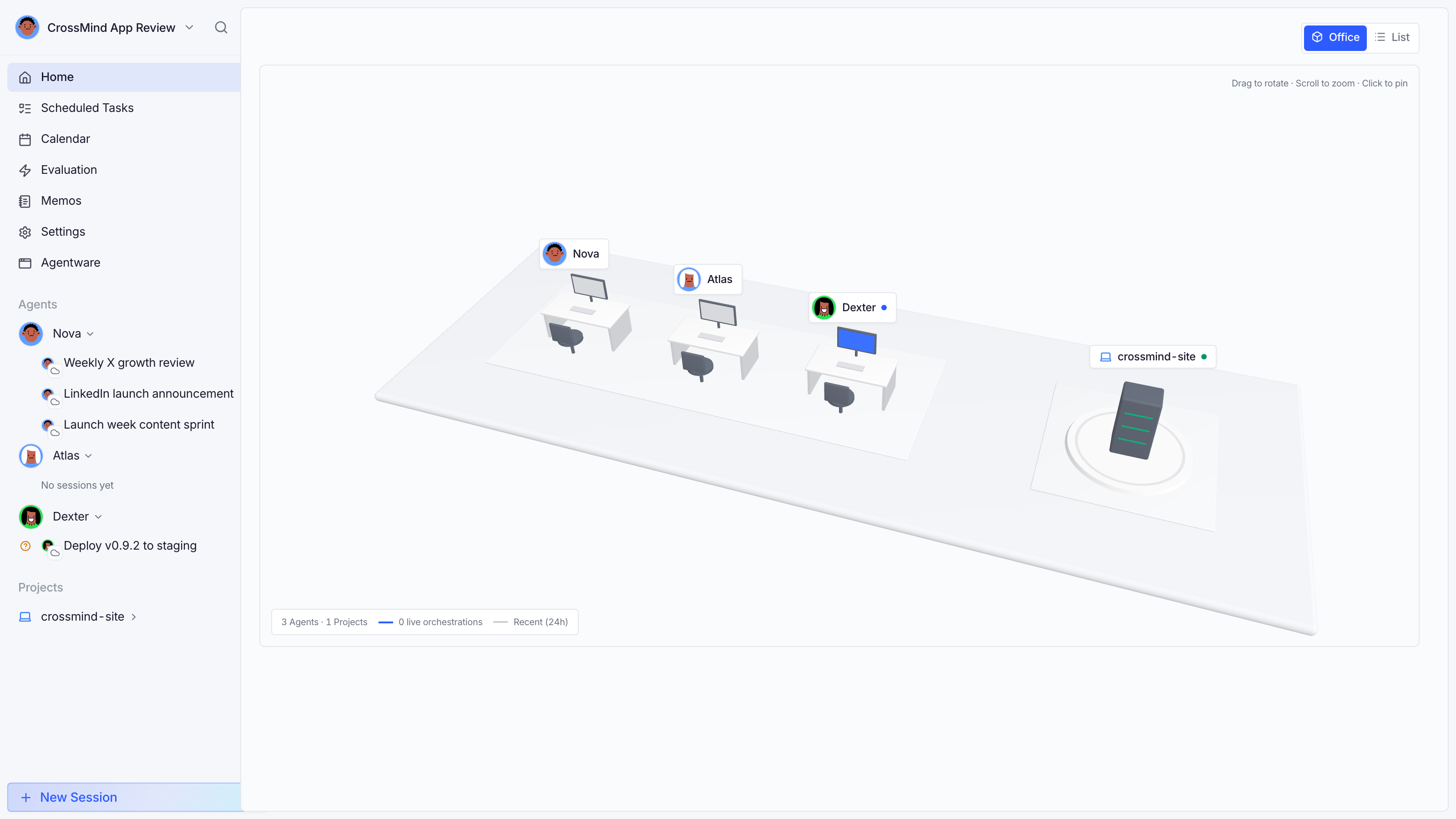
While an orchestration is live, the Office view adds a Live orchestration sessions panel under the scene: member sessions grouped by their parent, with status, runtime and context usage at a glance (hidden when nothing is running).
Session
Section titled “Session”A session (also called a run) is one unit of work with an agent. There are three types:
| Type | What it is | Who drives |
|---|---|---|
| Copilot | A conversation: chat, ask, iterate | You and the agent |
| Direct task | A bounded one-shot task with an input form | The agent, once |
| Autonomous task | A goal the agent pursues start-to-finish | The agent |
Sessions stream their output live, meter context usage, and can pause for approvals. An agent can also orchestrate: one leader session spawning member sessions (see Orchestration).
Runtime
Section titled “Runtime”A runtime is the CLI harness that actually executes a session: Claude Code, Codex, Cursor CLI, ZCode, and more. You pick a runtime per session (or leave it on the workspace default), and CrossMind routes the work to the computer that has it, or to the cloud runtime which needs no local setup.
A skill is a playbook: a SKILL.md file (plus scripts and references) that teaches an agent how to do one thing well, such as “compile a research brief” or “triage the inbox”. Enable, disable, install from GitHub/URL, evaluate them, or share a public install link. See Skills.
MCP tool
Section titled “MCP tool”Agents reach the outside world through MCP (Model Context Protocol) servers: built-in ones like browser control, or custom ones you configure per agent. Every tool has a known context-token cost, and the settings page totals it for you. See MCP tools.
Computer
Section titled “Computer”A computer is a paired machine (yours, or a teammate’s) that runs the CrossMind daemon. Pairing takes one code; after that the machine contributes its installed runtimes, files and local browser to the workspace. See Computers.