
Approvals & questions
When an agent needs something only you can provide, the session pauses (Waiting for you) and a card appears in the conversation. Two kinds of pauses exist.
Permission approvals
Section titled “Permission approvals”The most common pause: the agent wants to use a tool that requires your OK (running a shell command, editing files, taking over a browser). The card shows exactly what will run:
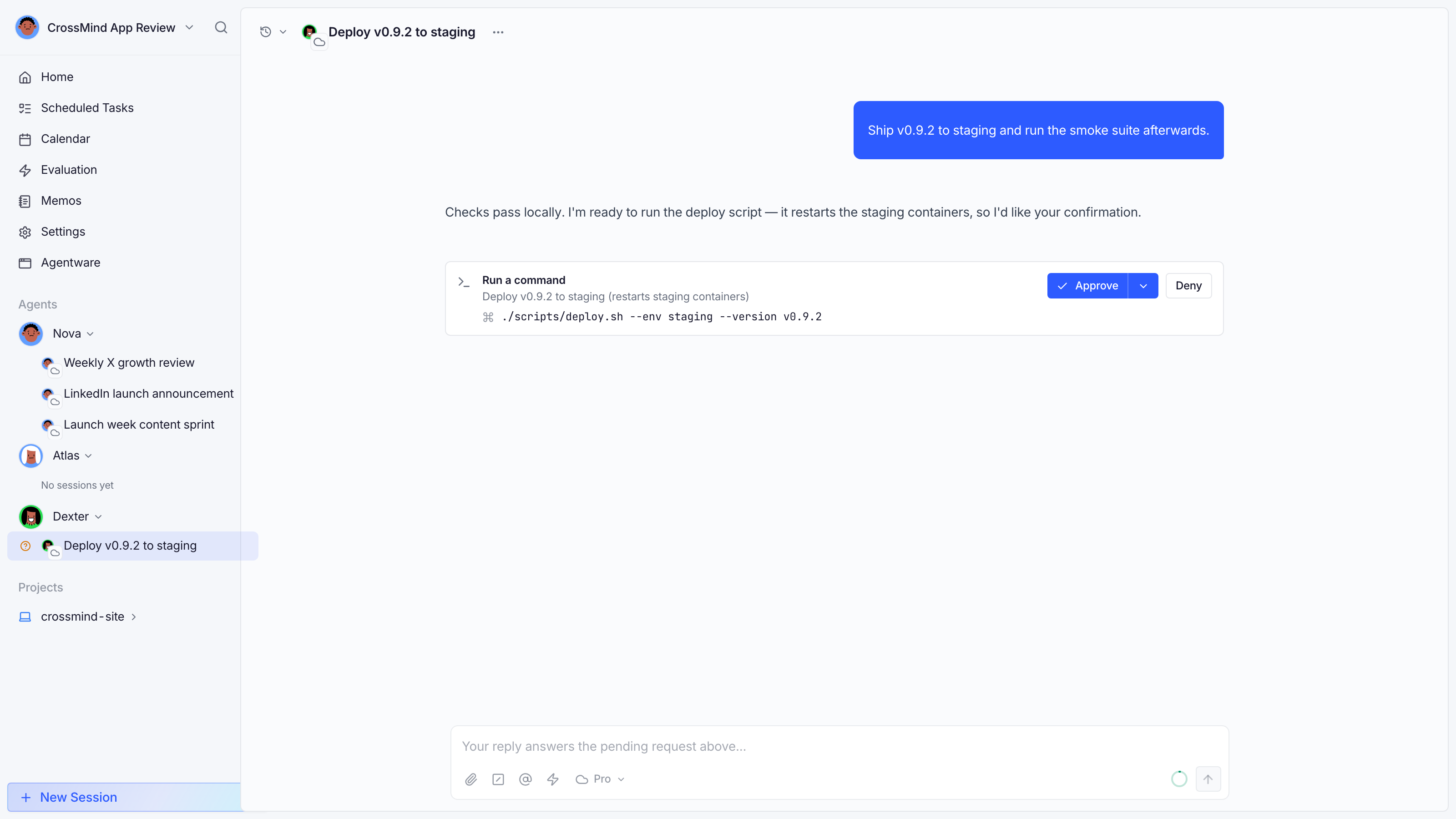
- Approve: allow this call once.
- Always allow (where offered): allow this tool for the rest of the session.
- Deny: refuse; the agent adapts and continues.
When one turn produces several pending approvals, each card is labeled (Approval 2 of 3) and notes that the session resumes only after all of them are resolved — every call needs its own decision. Parallel calls of the same tool carry their per-call input, so identical-looking cards stay distinguishable.
A countdown is shown for cloud-run sessions; if you don’t respond in time the request expires safely and the run fails with a clear reason rather than proceeding unattended.
Questions (AskUserQuestion)
Section titled “Questions (AskUserQuestion)”Agents can also pause to ask you a structured question (“which of these two directions?”), with options rendered as buttons. Your answer goes straight back into the run.
Where you can respond
Section titled “Where you can respond”- In the session: the card is inline; answering resumes the run immediately.
- From the sidebar: sessions waiting for you are marked in the agent’s session list.
- By email: daily digests can include pending approvals; links open the exact session.
- Mobile: approvals follow you to the iOS app and desktop app.
How pauses interact with scheduling
Section titled “How pauses interact with scheduling”A session parked on an approval holds its execution slot but is not running: nothing happens until you answer, and scheduled tasks that fire while you’re away queue their runs rather than racing a live pause.