MCP tools
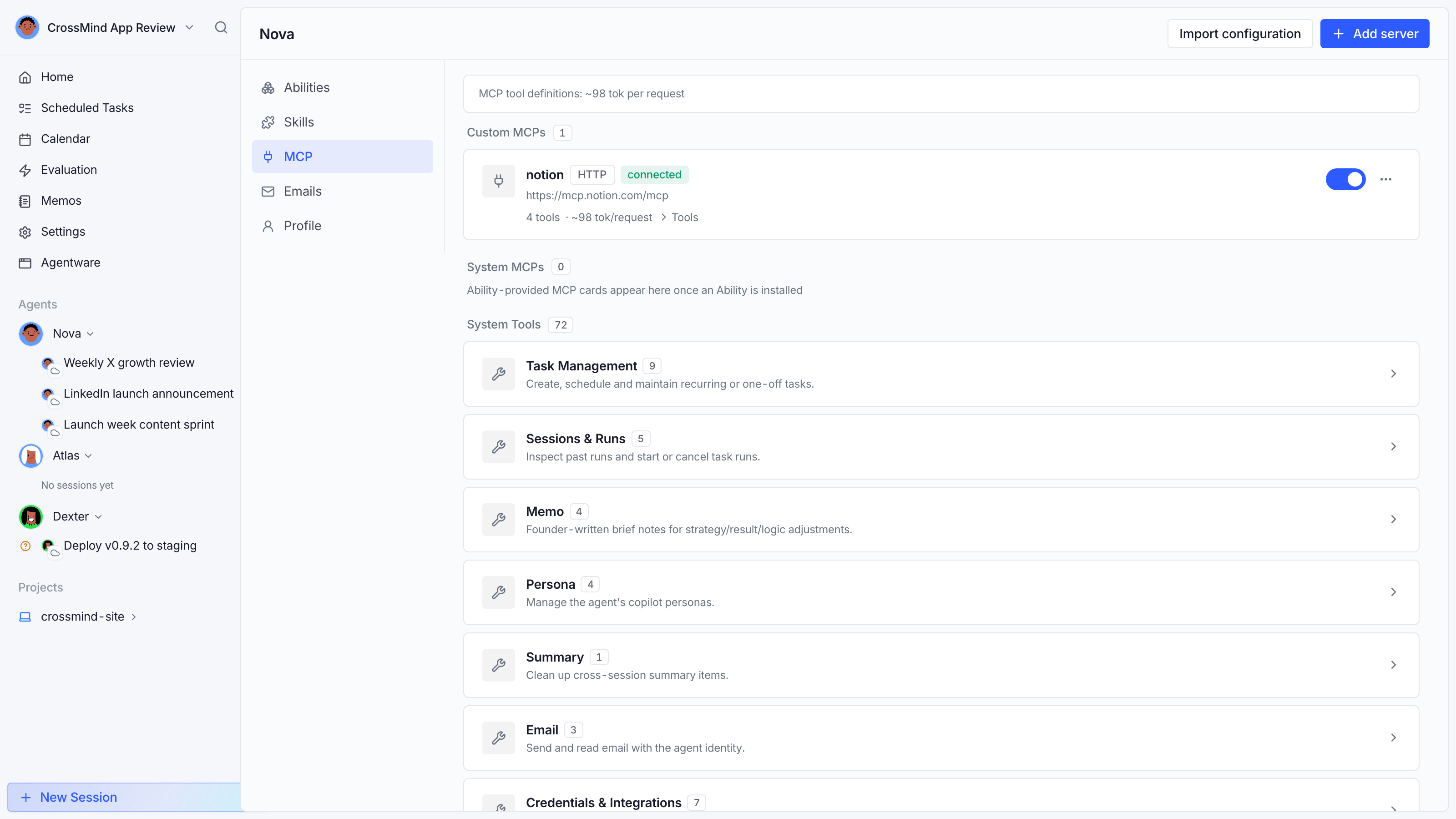
Agents act through tools. CrossMind supports MCP (Model Context Protocol): each agent gets the built-in toolset plus any MCP servers you attach, with per-tool switches and a visible token cost for everything.
Adding a server
Section titled “Adding a server”An agent’s MCP tab → Add server. Two transports:
- stdio: a local command the host machine runs (
npx some-mcp-server). - Streamable HTTP: a remote endpoint URL (e.g. Notion’s hosted MCP).
Secrets (env vars, headers, OAuth tokens) are stored encrypted and never rendered back.
The token budget
Section titled “The token budget”Every enabled tool’s definition is sent to the model on every request, costing context tokens before the agent does anything. The MCP page shows each tool’s estimated cost and totals each server’s, and a Disable 10 largest shortcut strips the heaviest tools on a server in one click — the quickest fix for a slow, bloated agent.
Toggling tools
Section titled “Toggling tools”Toggle a whole server or individual tools within it. Disabled tools are withheld from the session’s tool surface entirely (not just discouraged), so their cost disappears too.
When a server can’t load
Section titled “When a server can’t load”If a configured server fails to mount for a session — most often because its authorization expired — the session shows a warning card naming the server instead of failing silently, and that server’s tools are simply absent from the conversation. Re-authorize or fix the server in the MCP tab and its tools return in later sessions.
Built-in servers
Section titled “Built-in servers”CrossMind ships built-in MCP servers (browser control, computer use, artifact storage, scheduling, skill evaluation…). They appear in the same list; toggle what an agent shouldn’t touch.