
Integrations
Integrations connect external services to the workspace. Once connected, an agent can use the service’s tools (post, read, deploy…) and its credentials are injected into sessions automatically, so no one re-pastes keys per agent.
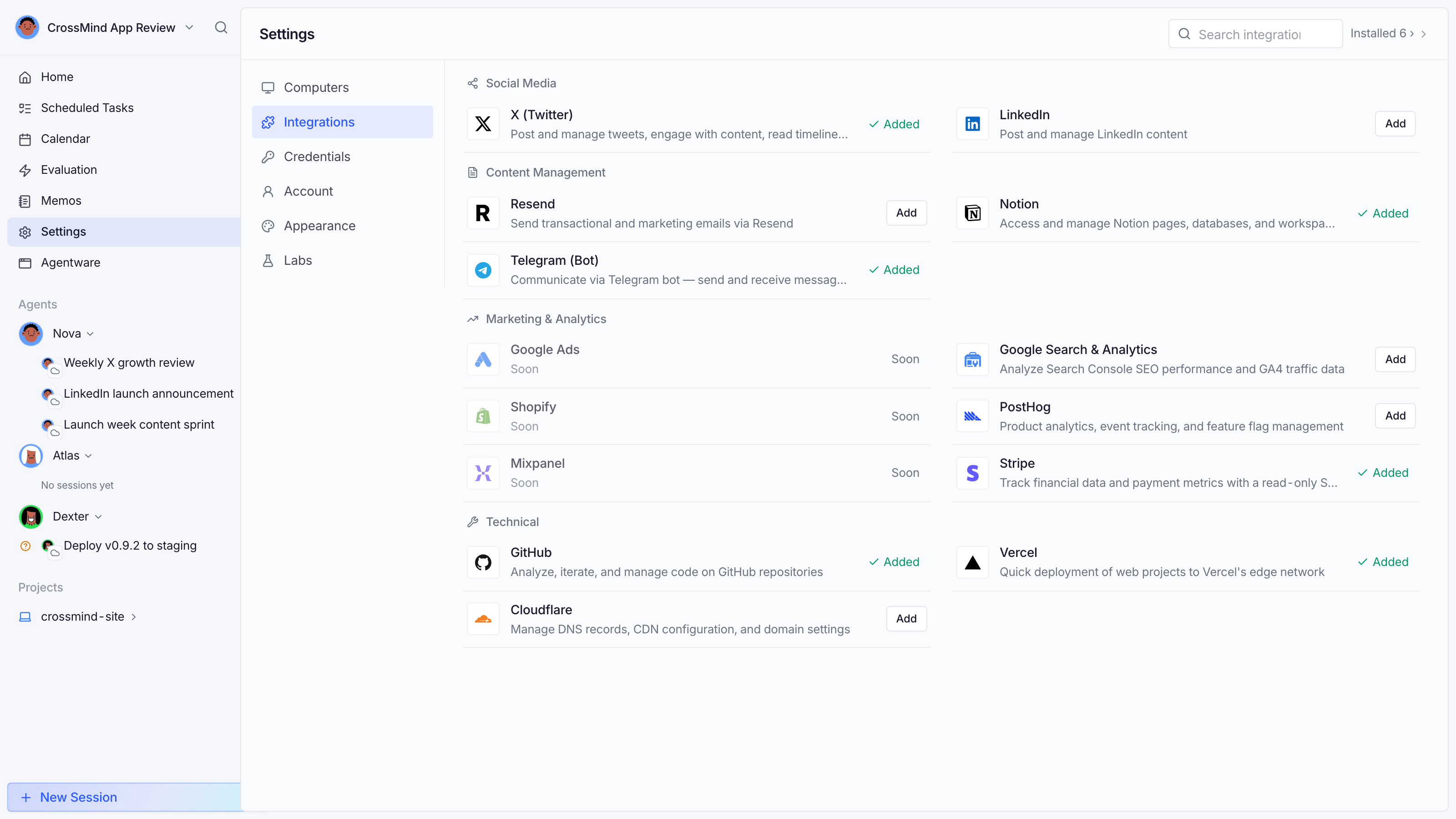
Connecting
Section titled “Connecting”Settings → Integrations, pick a provider, and complete the flow:
- OAuth providers (X, LinkedIn, GitHub, Notion, Google Analytics…): authorize in a popup; tokens refresh themselves.
- API-key providers (Telegram, Vercel, Resend, Stripe, Cloudflare…): paste a key; it’s encrypted and verified on the spot.
Each connection shows its status: connected (with the account it acts as), pending, error (e.g. an expired token; reconnect from there), or coming soon for providers still in the registry but not yet connectable.
Assigning to agents
Section titled “Assigning to agents”A connection is workspace-wide but tools are used per agent: bind the integration to an agent (its profile or the connection’s assignment drawer) and every session that agent runs gets the credential. One connection can feed many agents; revoking the binding revokes the access without deleting the connection.
Where integrations show up
Section titled “Where integrations show up”- Agent tool surfaces (post to X, query Stripe…)
- The Analytics page (PostHog, Google Search Console, Stripe data)
- Email flows (Resend)