
Sessions
A session is one unit of work with an agent. Conversations, one-shot tasks, scheduled runs and orchestrations all render in the same session view.
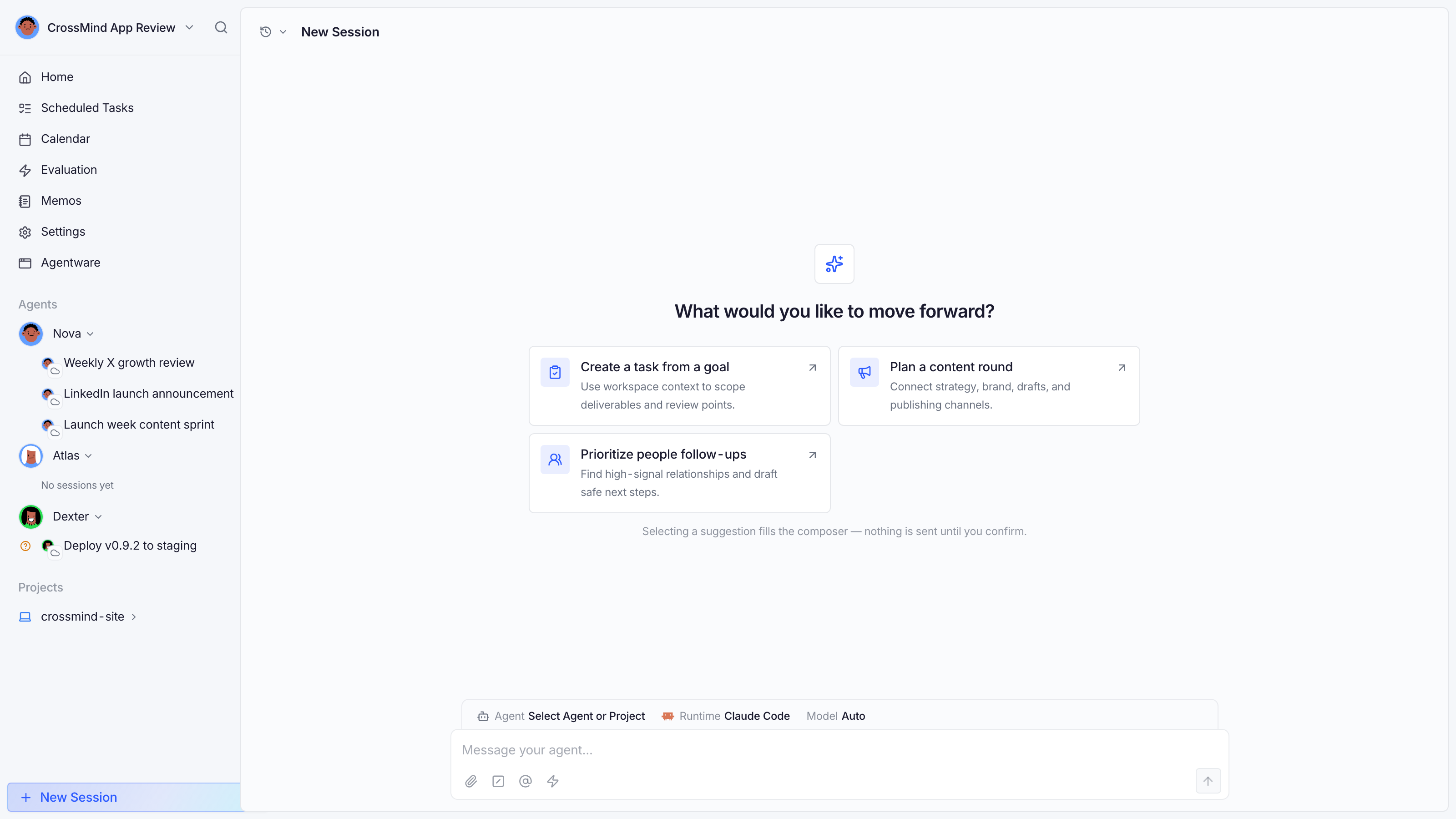
Starting a session
Section titled “Starting a session”From New Session in the sidebar (or any agent’s “New Session” button):
- Pick the target: an agent, or a project directory.
- Type the goal. Use
@to reference agents/projects,/to invoke skills. - Optionally adjust runtime, model and thinking level (off / low / medium / high / xhigh) from the composer bar.
- Attach files if needed, then send.
The draft you’re typing is saved per workspace, so a stray reload doesn’t lose it.
Reading a session
Section titled “Reading a session”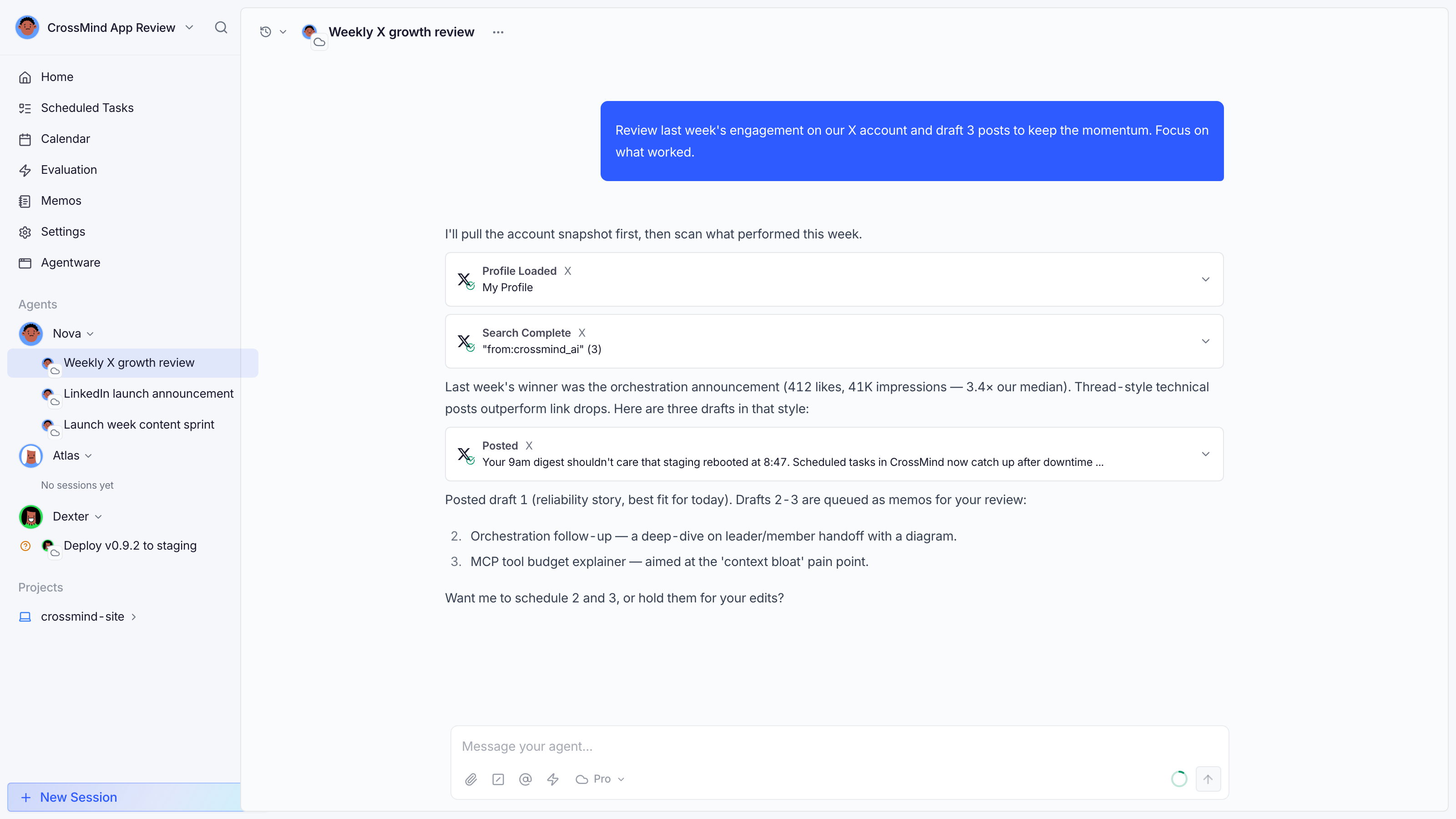
- Tool cards: every tool call renders as a card (posted tweet, search results, DB rows…) with its input and output expandable; routine Write/Edit calls fold into the collapsed group instead of taking a row each.
- Status badge (next to the title):
Queued,Running,Waiting for you(needs an approval),Succeeded,Failed,Timed out. Failure badges carry the concrete reason and a Continue action. - Metadata: turn count, duration, and cost are in the header’s details toggle.
- Summary: finished autonomous runs expose a Summary modal (achievements / blockers / insights).
Context usage
Section titled “Context usage”The ring around the composer shows how much of the model’s context window the session is using: green below 70%, amber below 90%, red at 90%+. During compaction it pulses: older turns are being summarized to free space. You can also start a fresh turn with a bigger-context model mid-session; the choice persists for the session.
Steering mid-run
Section titled “Steering mid-run”- Model switching: change the model from the composer; it applies to the next turn.
- Interrupt: stop the current turn; the conversation stays intact for follow-ups.
- Ask a question: queued messages are delivered to the agent between turns.
Failure & recovery
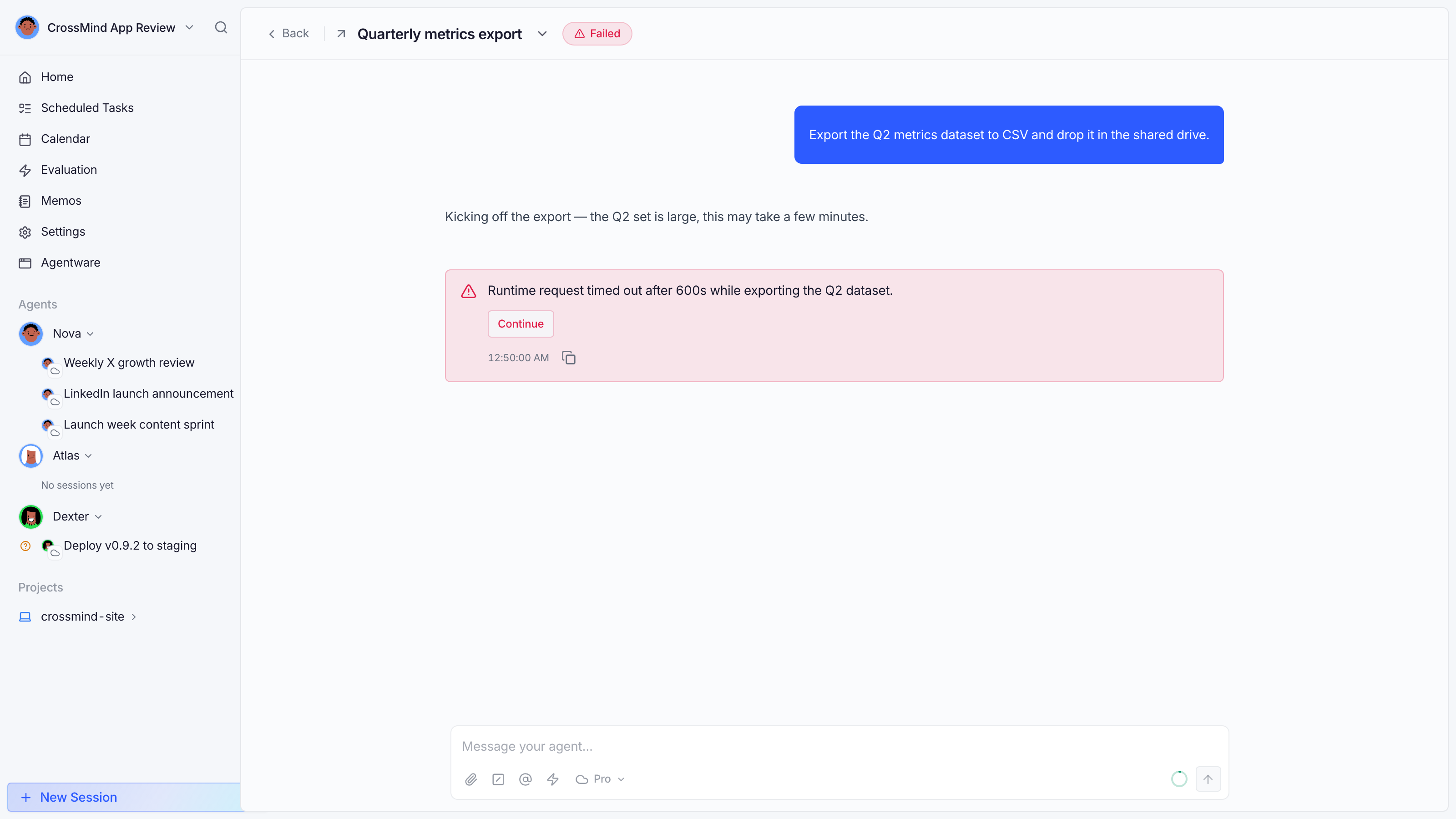
Section titled “Failure & recovery”Failed sessions don’t lose their history. The failure card shows the reason (for example “Runtime request timed out after 600s”) with a Continue button that resumes the work in a new turn.
Session types at a glance
Section titled “Session types at a glance”Copilot conversations, direct tasks and autonomous runs all live in the same list (sidebar → agent). Autonomous and scheduled runs additionally show up under Scheduled tasks with their run history.