The biggest update this cycle is the new Workspace Dashboard — a live view of everything running in your workspace. We also gave you finer control over individual schedules, and cleaned up several billing rough edges that were frustrating early users.
Workspace Dashboard
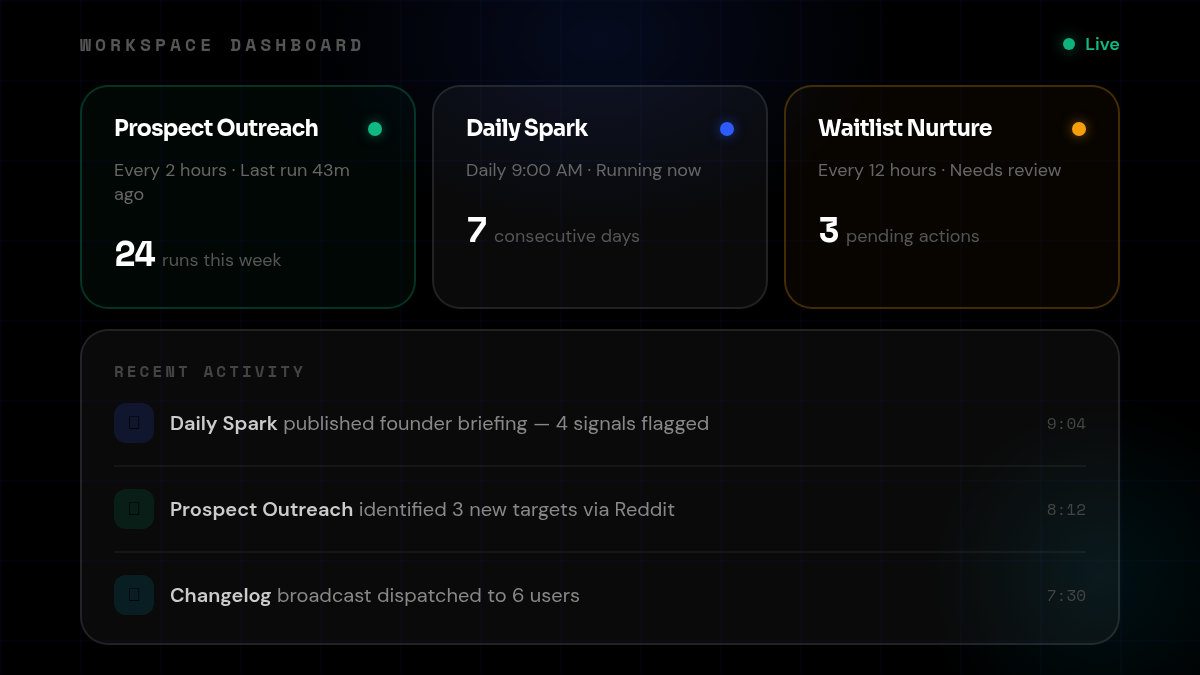
Your workspace now has a dashboard — a single page that shows every running task, its health status, and a live activity feed of what your agents have been doing.
Task health indicators tell you at a glance whether a task is running well, needs attention, or has stalled. The activity feed surfaces the most recent actions across all your tasks so you can stay current without opening each one individually. Artifact links in dashboard cards are now clickable, taking you directly to the output you care about.
The dashboard also validates your dashboard.yaml schema on load, so misconfigured dashboards surface errors immediately instead of silently showing nothing.
Why it matters: As you build out more tasks and automations, context-switching between them to check status adds up. The dashboard collapses that overhead into a single view you can scan in seconds.
Per-Schedule Runtime Controls
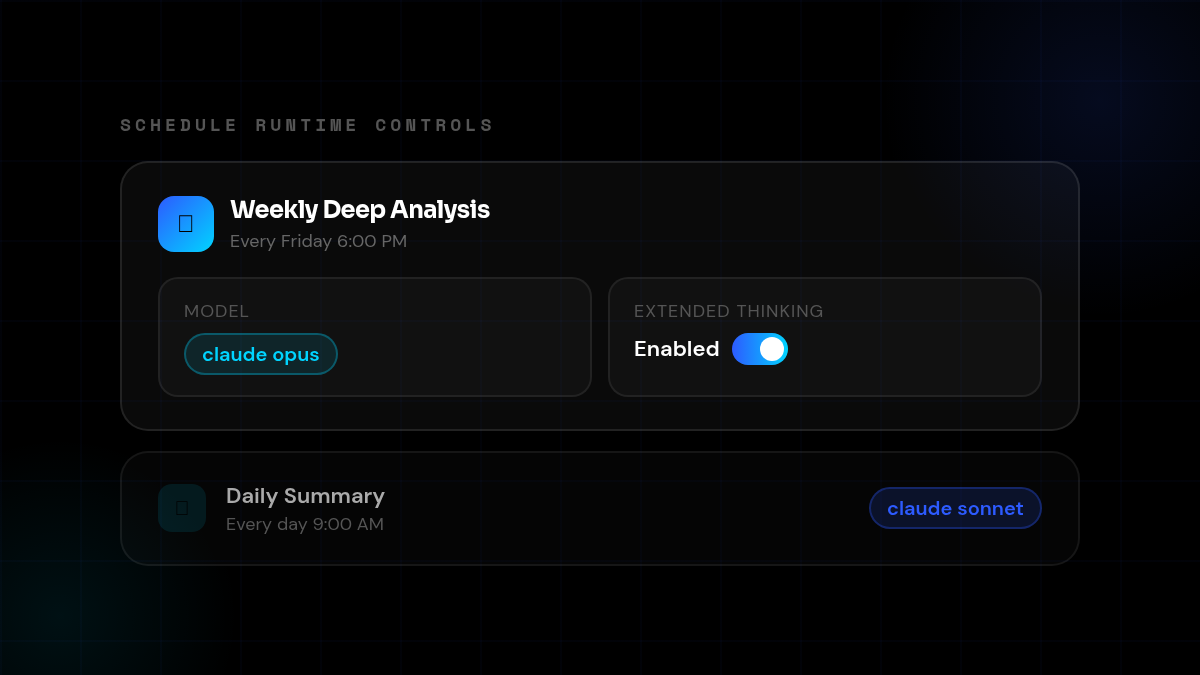
Every schedule can now run on its own model and settings — independent of other schedules in the same task.
From the schedule settings, you can choose which Claude model handles that specific run, and toggle extended thinking on or off. A fast daily digest can use Sonnet; a weekly deep analysis can run on Opus with thinking enabled. Each schedule keeps its own configuration, and changes take effect on the next run.
Previously, all schedules in a task inherited the same runtime settings. Now you can tune each one for the work it actually does.
Why it matters: Different schedules in the same task often serve fundamentally different purposes. Treating them identically forced a tradeoff — either overpay on every run, or under-power the heavy ones. Per-schedule controls let you optimize each run independently.
Promo Code at Checkout
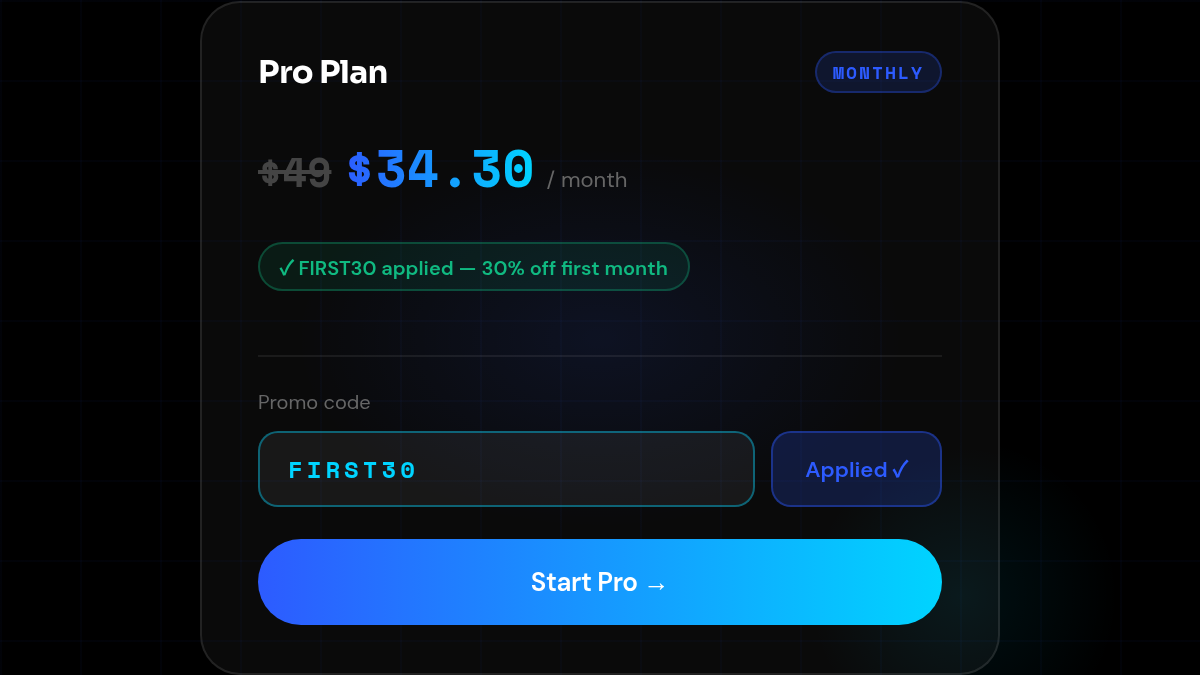
The checkout page now has a promo code field. Early users can enter FIRST30 at checkout to get their first month at 30% off.
Previously, a discount was applied automatically in some cases — but only sometimes, and not transparently. The new flow is explicit: enter the code, see the discount applied before you confirm.
Why it matters: A hidden discount that works inconsistently erodes trust. An explicit code you enter yourself is clearer and lets us share it in the right contexts without confusion about whether it’s applied.
Also Shipped
- Agents know what time it is — Agents now receive managed time context automatically, so they can reason correctly about schedules, deadlines, and relative dates without you having to tell them the date
- Billing quota resets on tier change — When you upgrade or downgrade, your usage quota now resets immediately rather than waiting for the next billing cycle
- Subagent sessions visible across views — Sessions from subagents running inside complex tasks now appear consistently across the task history and session list, so you can see everything that ran
- Trial end edge case fixed — A billing bug where trials ending within 48 hours triggered Stripe errors has been resolved
- Calendar view scoped correctly — The scheduled tasks section of the calendar now only shows task-schedule items, reducing visual noise from unrelated events
- Copilot navigation improved — Linked session cards in copilot conversations now navigate more reliably between the planning session and associated task runs