We’ve shipped a redesigned integrations experience, smarter email threading, real-time Telegram replies, and several workflow improvements that make working with your agent more fluid.
Integrations Now Have Clear Permission Modes
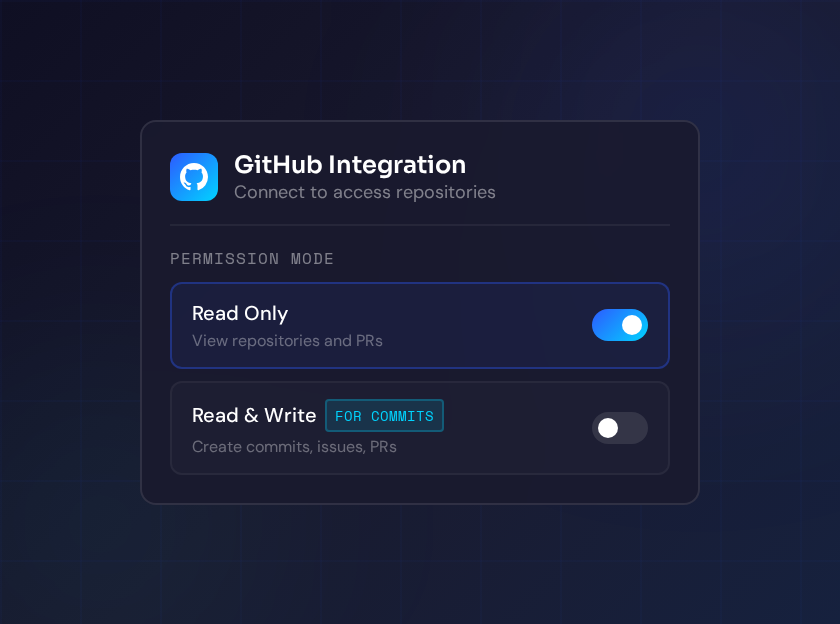
The integrations settings page is completely redesigned as a unified catalog. Instead of a scattered list, you now see all available integrations organized by type — OAuth, API key, and built-in services — each with clear labels for what permissions are required and what capabilities they unlock.
Why it matters: You always knew which integrations your agent could use, but not what each one could actually do. The new catalog makes the tradeoffs transparent: connect GitHub with read access for code lookups, or grant write access if you want your agent to commit code. You decide the level of trust, informed by clear descriptions of what each mode enables.
Emails Thread Back to the Right Agent Automatically
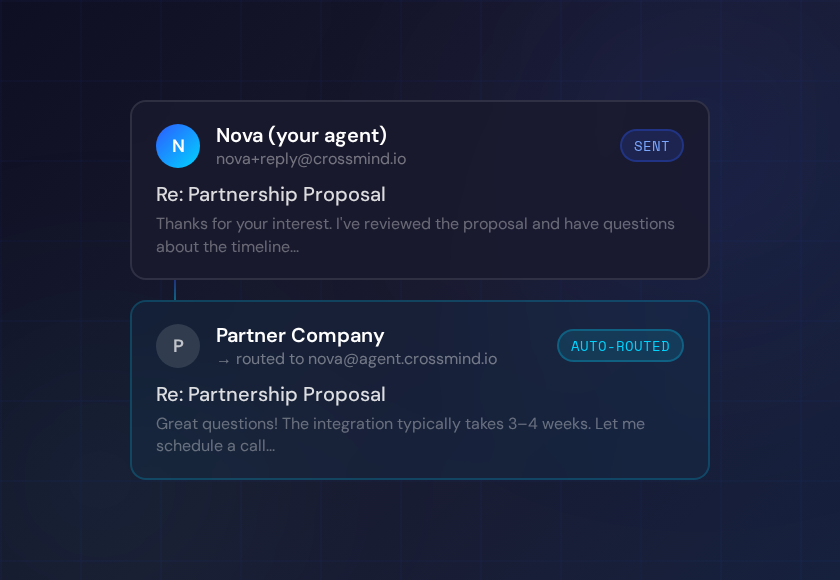
Email routing now uses Reply-To sub-addressing to keep conversations with specific agents intact across sessions. When your agent sends an email, replies automatically route back to that same agent rather than landing in a general inbox.
Why it matters: Before this change, email was a one-way medium for agents — they could send, but replies came back to a general queue and required manual routing. Now an email thread stays coherent: your agent sends a message, gets a reply, and can continue the conversation without you having to re-route it. Useful for tasks like following up with vendors, handling inbound requests, or managing any workflow where back-and-forth email matters.
Telegram Replies Stream in Real Time
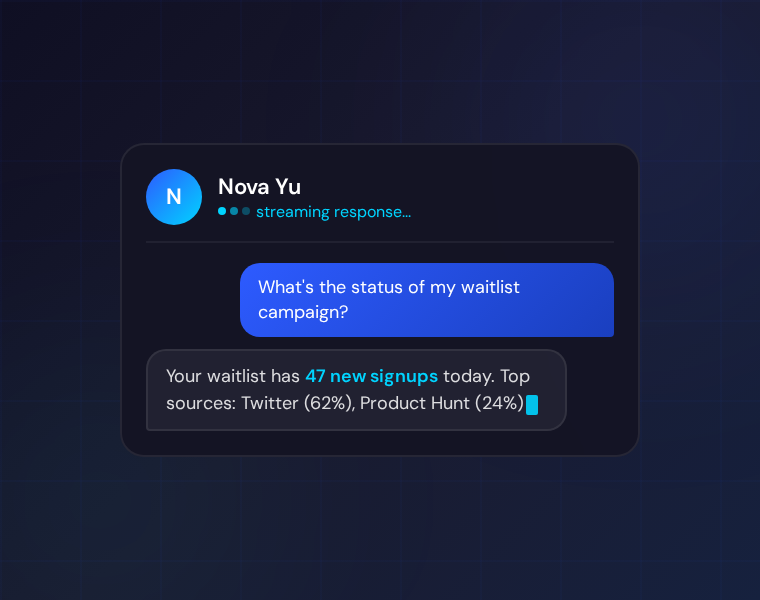
Your agent’s Telegram responses now stream progressively as they’re generated, with segmented reply support for longer messages. Instead of waiting for a complete response, you see the answer forming in real time.
Why it matters: Long agent responses in Telegram used to feel like a black box — you’d wait, then get a wall of text. Streaming makes the experience feel live and responsive. The segmented flow also handles lengthy answers more gracefully, splitting them into readable chunks instead of hitting Telegram’s message length limits.
Create Tasks Without Scheduling Them First
Tasks now have a dedicated creation page separate from the scheduling flow. You define the task, give it a name and objective, and schedule it later when you’re ready. This decouples “what to do” from “when to do it.”
Why it matters: Previously, creating a task required deciding on a schedule at the same time. If you were sketching out automation ideas or building a task to run manually, you had to either fill in a placeholder schedule or skip the flow entirely. Now you can define tasks freely and come back to scheduling when the timing is clearer.
Task Workspaces Are Archived When Tasks Are Deleted
Deleting a task now cleanly archives the associated workspace files rather than leaving them in place. The agent’s working files, notes, and artifacts from that task are preserved in a recoverable archive state.
Why it matters: Previously, deleting a task left behind workspace files in an ambiguous state — neither clearly removed nor clearly accessible. Archiving gives you a clean workspace without permanently discarding the work. If you realize you need something from a deleted task, it’s recoverable.
Google Workspace Integration Restored
The Google Workspace integration — covering Gmail, Calendar, Drive, and Docs — is fully operational again after a regression that had partially broken it. Agents can read Drive files, query Calendar, and perform Gmail actions via the gws CLI.
Why it matters: Google Workspace is deeply integrated into most business workflows. The regression affected agents that relied on it for document lookups, meeting context, or email drafting. It’s back and working as expected.
UI Refinements
Metric labels across the dashboard now use plain language instead of technical keys, making it easier to read agent performance at a glance. Modal widths have been standardized for better visual consistency. The integrations settings link in agent templates now points to the correct location.