The Agent Writes, You Edit
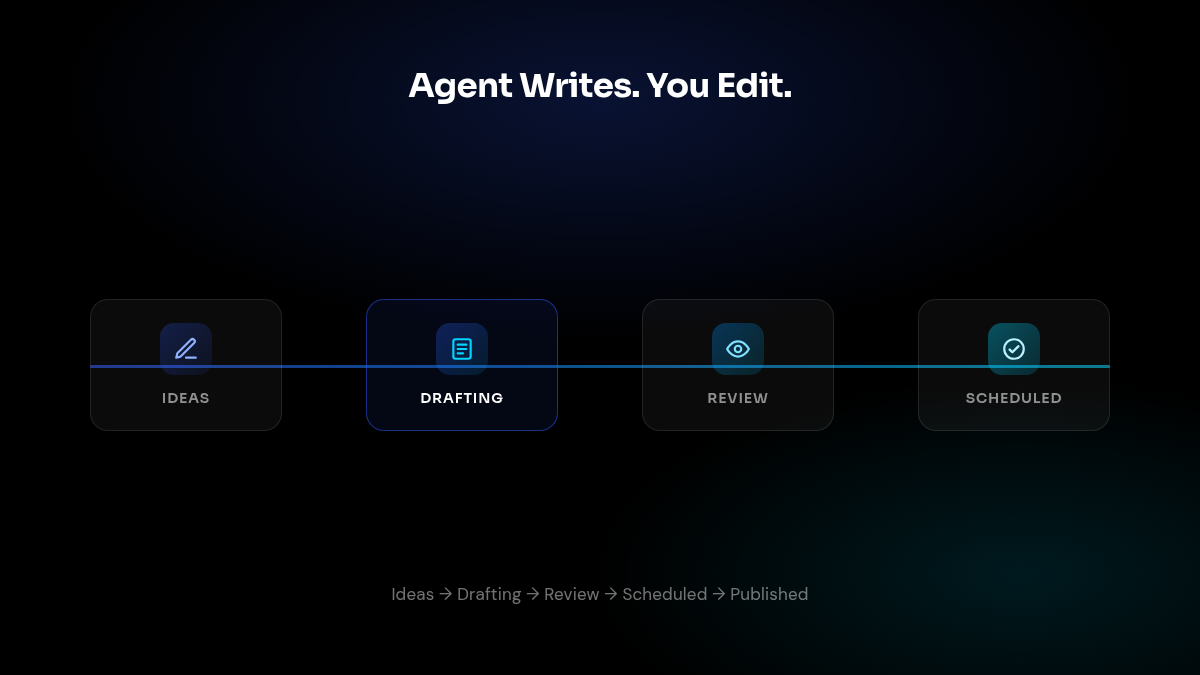
Content used to be a CRUD manager — you created drafts, the agent filled them in, you managed five separate tabs. We rebuilt it around the actual workflow: your agent is the writer, you’re the editor. A new pipeline board moves ideas through Ideas → Drafting → In Review → Scheduled → Published, and each platform target (X, LinkedIn) now schedules and publishes independently, so one piece of content can be live on one channel while still in review on another.
A new content-planner skill runs an interactive planning interview with your agent and turns the conversation directly into topics, drafts, and a schedule — no manual data entry. Calendar and performance views sit alongside it, and a Brand Kit panel with real thumbnails keeps everything on-brand automatically.
Strategy, Evidence, and Your Dashboard — One Hub
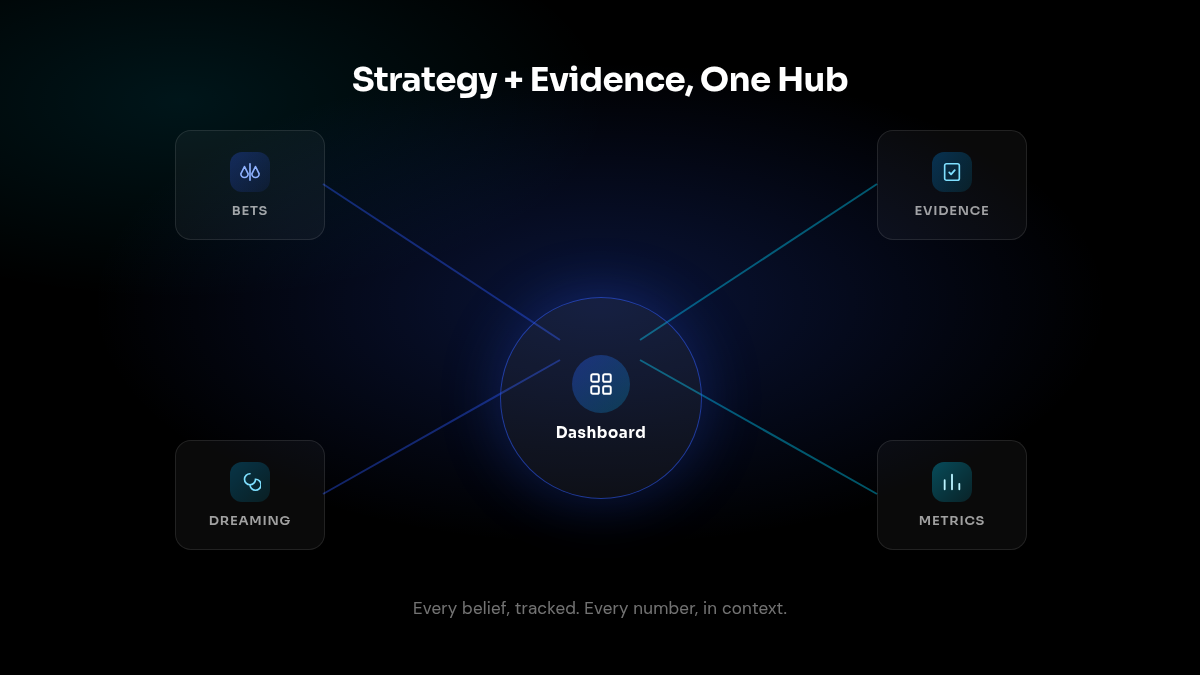
This is the same idea we keep building toward for your agent’s own growth work: strategy first, execution second. Strategy is no longer a separate page — it’s merged directly into your Dashboard, alongside growth metrics, briefs, and integrations, so the numbers and the reasoning behind them live in one place.
Underneath, we introduced a structured bets + evidence model: every strategic belief your agent holds is now a trackable bet, with evidence for and against it building a visible history over time, plus inline feedback so you can correct course without leaving the page. We also wired this into Dreaming — your agent’s idle-time reflection loop — so it can apply structured strategy signals automatically as it works, instead of waiting for you to prompt it.
One Workspace for Every Person and Action
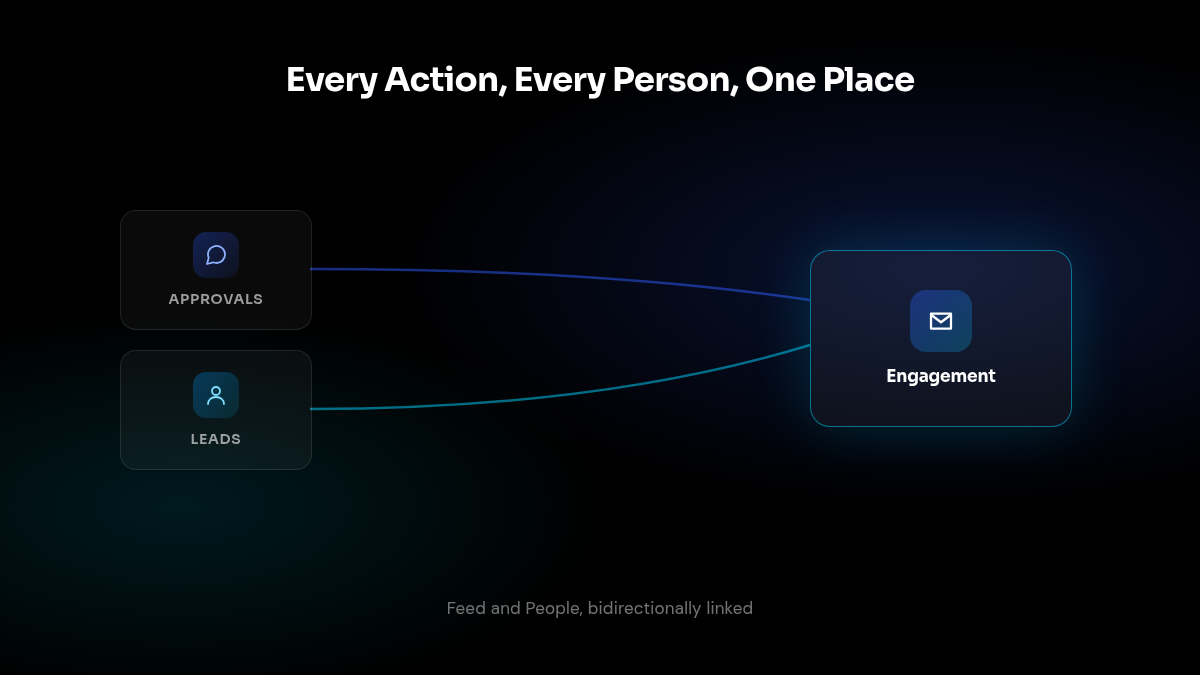
Approvals and leads used to live in separate places, which meant losing context on who an action was actually for. They’re now one Engagement workspace: a Feed of outbound actions grouped by day, lead, and channel (“Reply @handle on X: …”), and a People tab for everyone your agent has engaged with — bidirectionally linked, so opening a lead shows every approval tied to them and vice versa.
Underneath, a new Leads CRM module auto-captures engagements as they happen — from an inbound email, a Telegram message, or a social reply — and resolves them into a single person across channels, so your agent builds a real relationship history instead of a pile of disconnected touches.
Fixed: A Cross-Tenant Notification Leak
We found and closed a bug where real-time notifications (approval toasts, session updates, agent-status events) weren’t being filtered by account before being sent to connected browsers. They’re now scoped per tenant with a fail-closed default, so a dropped or missing tenant ID hides the event instead of leaking it. If you noticed a stray notification that didn’t belong to you, this is why — it’s fixed.
Also Shipped
- Real-time approval status: Approvals now broadcast their waiting state live, so they show up in Copilot the moment they’re queued instead of on next refresh.
- Session status at a glance: The sidebar now shows a status dot for each Copilot session — pulsing while running, solid when done — and auto-expands when you navigate away from an active one.
- Spreadsheet artifacts: CSV and Excel files can now be viewed directly as read-only artifacts, with safer filename handling on upload.
- Cleaner structured output: Fixed follow-up handling after structured responses, added automatic re-queueing for rejected approvals you later approve, and improved HTML preview rendering.
- Approval card polish: Refined card layout and artifact previews across the approval flow, plus a refreshed email approval template.