Abilities Marketplace with Guided Onboarding
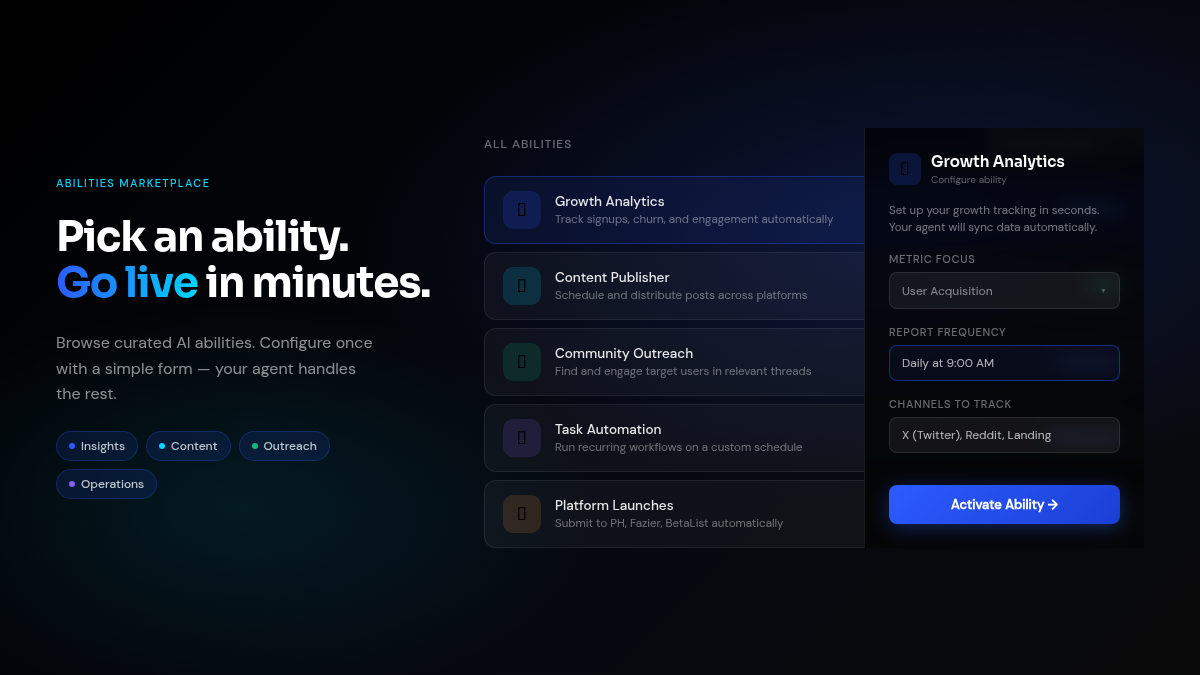
The Abilities Marketplace is now much easier to navigate and activate. Instead of a grid of cards, abilities are displayed as a clean horizontal list with category tabs — so you can quickly filter to what you need. When you activate an ability, a guided onboarding form walks you through any required configuration before the agent starts working.
Each form field comes with descriptions and examples so you know exactly what to enter. Once submitted, the ability provisions a task, creates the dashboard, and is ready to run — no manual configuration needed on your end. The detail page after activation keeps the sidebar visible so you can review your subscription, manage settings, and track linked tasks without losing context.
The overall category naming has been simplified to Abilities throughout the product, and the list page now properly scrolls on all screen sizes.
Live Dashboard Metrics After Every Task Run
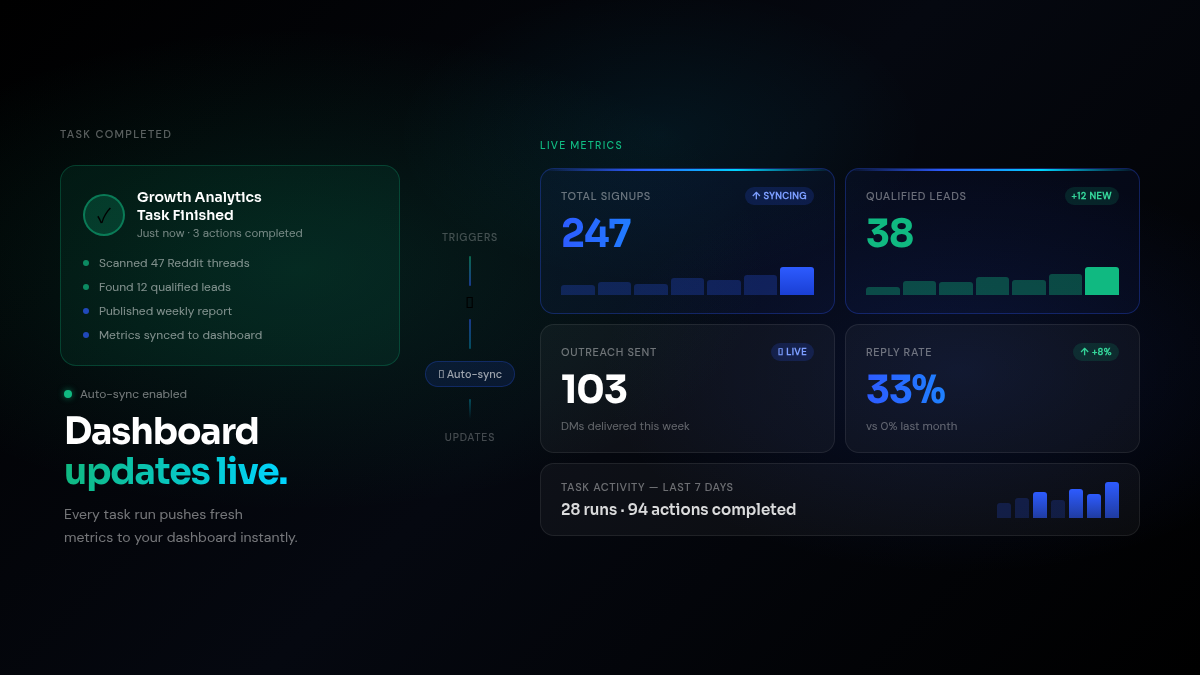
Your task dashboards now stay current automatically. When an autonomous task run completes, any metrics and chart values reported in that run’s summary are written back to the dashboard immediately — no extra steps required.
Unknown metric keys auto-create a new card at the top of the dashboard so agents can introduce new measurements as their work evolves. Chart data (line and bar) is handled the same way, with each series updated in place. The next run also sees the previous session’s values in context, which helps agents reason about trends and deltas over time.
The metric card layout has been unified across the task dashboard, workspace overview, and session detail pages using a shared grid that adapts cleanly from 1 to 4 columns.
Agent Health Panel and Settings Overhaul
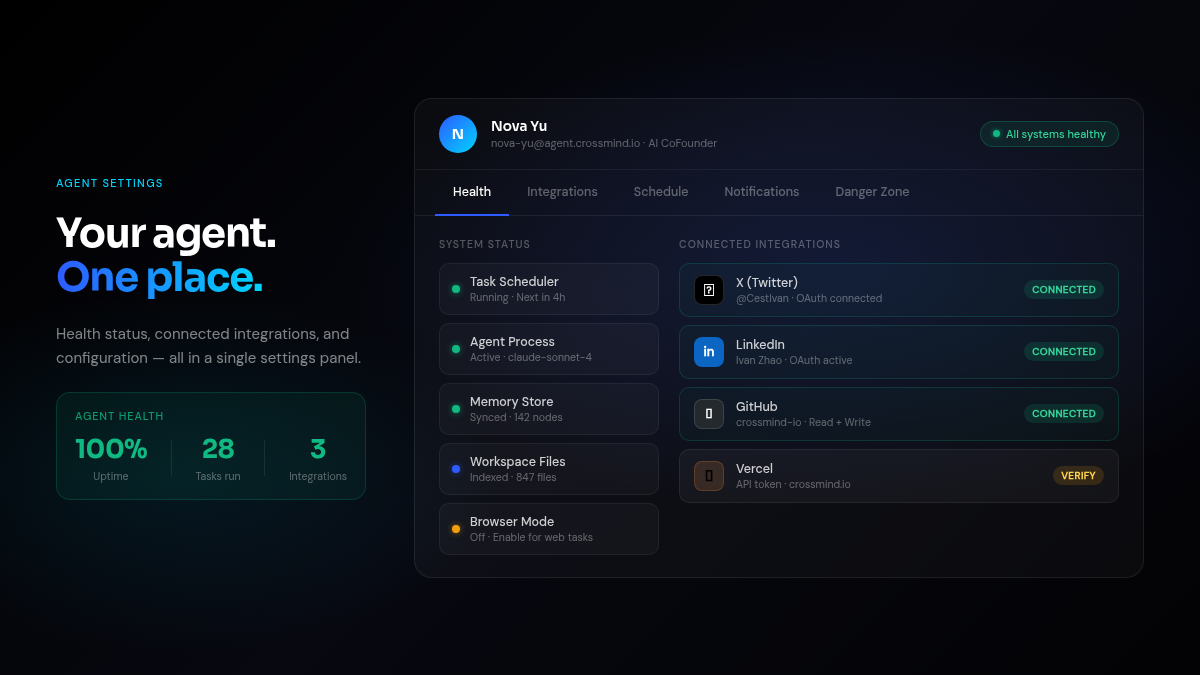
The agent settings panel has been reorganized to make the most important information easier to find. The health panel now tracks agent name and button color to the current health state — green when everything is running, amber for degraded, and clear error indicators when something needs attention.
Integrations got a full layout pass: connected identities and connection details are merged into one view, X and LinkedIn OAuth sessions are managed separately from other integrations, and errors surface directly on the list so you don’t have to dig. Identity handles are now linked to their public profiles.
Agentware has moved from the left navigation into a Settings tab, and email settings are now accessible from a modal opened directly from the Emails tab. Approval rules got smarter defaults — you can now set your preferred schedule policy (manual, direct, delay, or forbid) and the founder email auto-allow is surfaced clearly so you always know what’s pre-approved.
Copy Code Blocks in One Click
Code blocks in agent messages now show a Copy button on hover, anchored to the top-right corner of the block. Click once and the code is in your clipboard — no more selecting text manually or scrolling to find the end of a long snippet.
Under the Hood
- UI color system: Added an
amberwarning semantic token and applied it consistently across connection-degraded banners, announcements, and health indicators that were previously forced to gray and hard to read. - Tool card normalization: All tool cards (Browser, Database, Email, Social, Artifact, Credential) now share a consistent neutral surface style. Status is expressed through dot/icon/text only, not background color, fixing several red-on-red unreadable error states.
- Schedule webhook panel: The manual schedule webhook configuration now opens in a modal instead of rendering inline, keeping the schedule list compact.
- Task status indicators: Active tasks show a green dot; paused tasks show a visible gray dot. Both states are now clearly distinct.
- Approval rule previews: Improved preview formatting and smarter rule defaults for common approval scenarios.
- X OAuth: Updated domain configuration and tunnel settings for more reliable X platform authentication.